


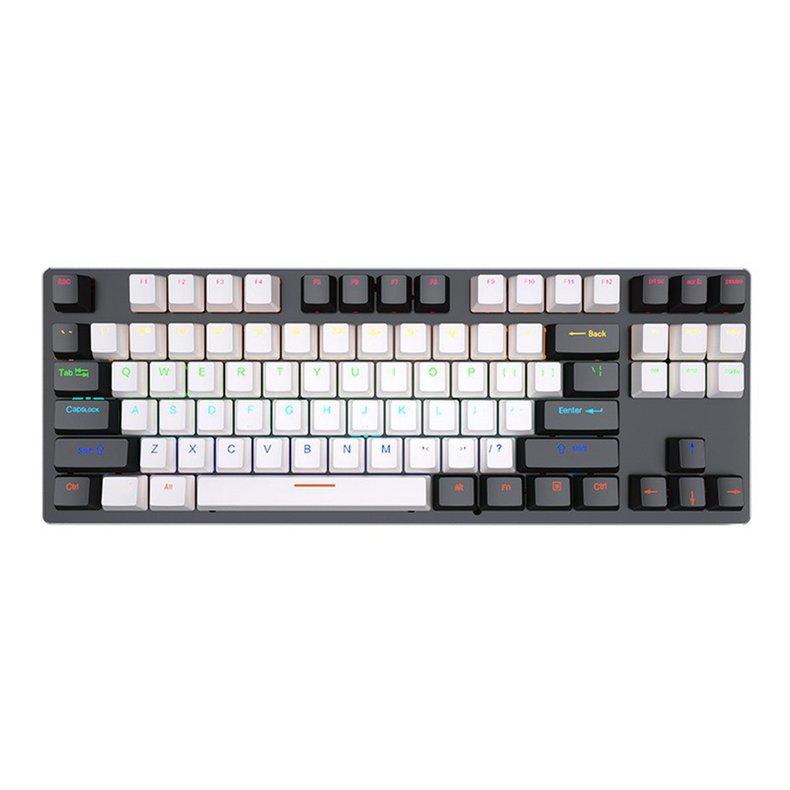
The world of keyboards is vast, with various layouts designed to suit different needs. Among them, the 87 keyboard layout has gained popularity for its compact design without sacrificing functionality. In this article, we will explore the 87 keyboard layout explained: keys, features, and uses, helping you understand why this layout might be the perfect choice for your setup.
What is the 87 Keyboard Layout?
The 87 keyboard layout, also known as a Tenkeyless (TKL) keyboard, is a compact version of a full-sized keyboard. Unlike traditional full-sized keyboards, it does not include the numeric keypad on the right, making it smaller and more portable while still retaining all essential keys.
This layout is particularly favored by gamers, programmers, and office professionals who prefer a clutter-free desk or require more space for mouse movement.
Keys on the 87 Keyboard Layout
Despite being smaller than a full-sized keyboard, the 87 keyboard layout does not compromise on essential keys. Here’s a breakdown:
- Alphanumeric Keys: All standard letters, numbers, and punctuation marks are included.
- Function Keys (F1-F12): Located at the top row, these keys are essential for shortcuts and system functions.
- Navigation Keys: Includes Home, End, Page Up, Page Down, Insert, and Delete for efficient navigation.
- Arrow Keys: Full arrow key cluster is retained, allowing precise cursor control.
- Modifier Keys: Shift, Control (Ctrl), Alt, and Windows/Command keys remain accessible.
By removing the numeric keypad, the 87 keyboard layout reduces the width of the keyboard without losing these critical functions.
Features of the 87 Keyboard Layout
The 87 keyboard layout offers several notable features that make it a popular choice:
- Compact Design: Smaller footprint makes it ideal for limited desk space.
- Portability: Easier to carry around compared to full-sized keyboards.
- Ergonomics: Allows for closer mouse placement, reducing arm strain during extended use.
- Customizability: Many mechanical 87-key keyboards allow for key remapping and switch customization.
These features make it versatile for gaming, programming, and general productivity.
Uses of the 87 Keyboard Layout
The 87 keyboard layout is suitable for a wide range of applications:
- Gaming: Offers full arrow and function keys while freeing up desk space for mouse movement.
- Office Work: Compact design reduces clutter, making typing and multitasking more comfortable.
- Programming: All essential keys are present, enabling efficient coding without the numeric keypad.
Whether you are a professional, student, or gamer, the 87-key layout provides a balance between functionality and convenience.
Conclusion
Understanding the 87 keyboard layout explained: keys, features, and uses shows why it is a preferred choice for many users. Its compact size, ergonomic benefits, and full set of essential keys make it an ideal option for anyone looking to optimize their workspace without sacrificing functionality.
